Setup guide
Put Mindy inside your AI assistant
Ask Mindy for real federal-contracting data right inside Claude or ChatGPT. One-time setup. No coding.
The address you’ll paste
https://mcp.getmindy.ai/mcpEasiest — start here
Claude
Built in. Connect, make a free account, allow, done.
Also works
ChatGPT
More steps: Developer mode, add Mindy, sign in, permissions.
Claude — connect Mindy
In the Claude desktop or web app. This is the easy one.
- 1
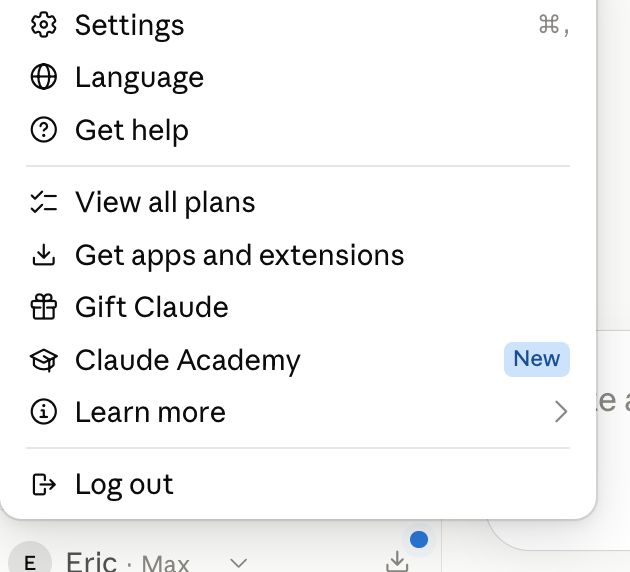
Open Settings
Click your name in the bottom-left corner, then Settings (or press ⌘ + ,).
- 2
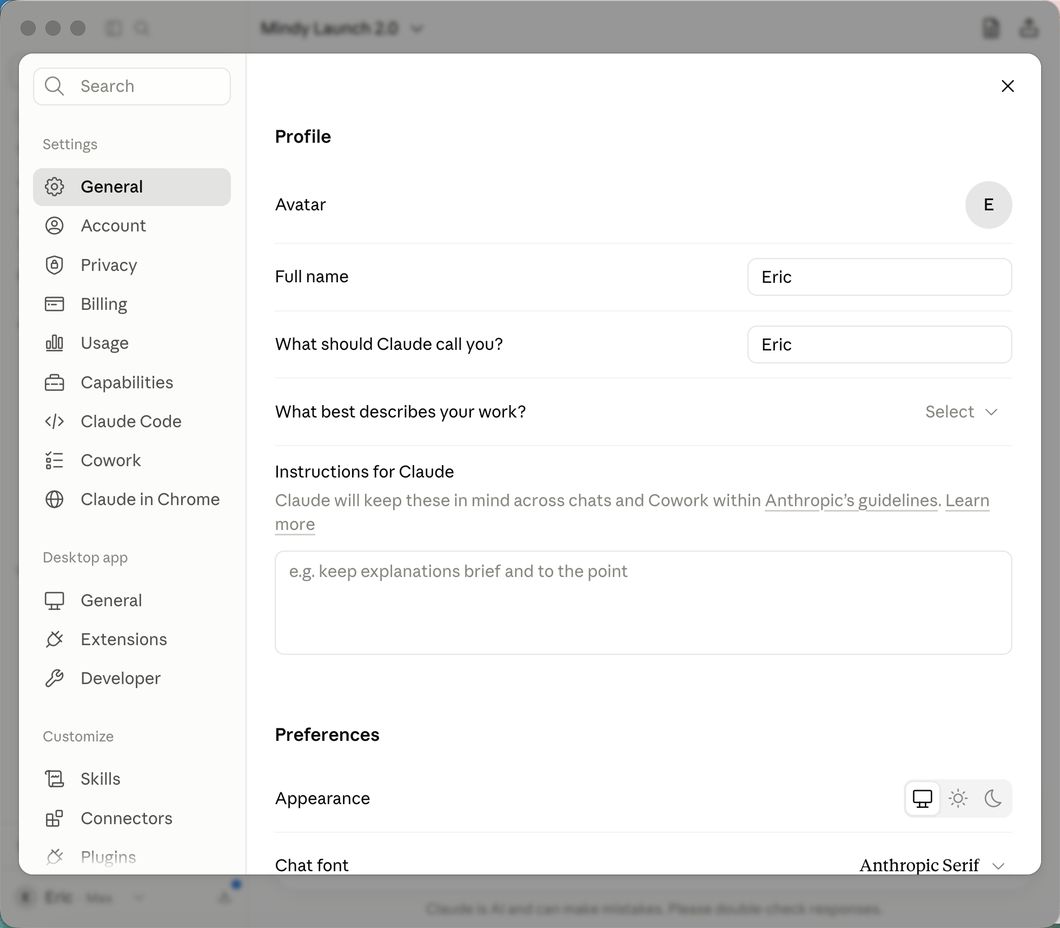
Go to Connectors
In the Settings window, look down the left sidebar. Under Customize, click Connectors.
- 3
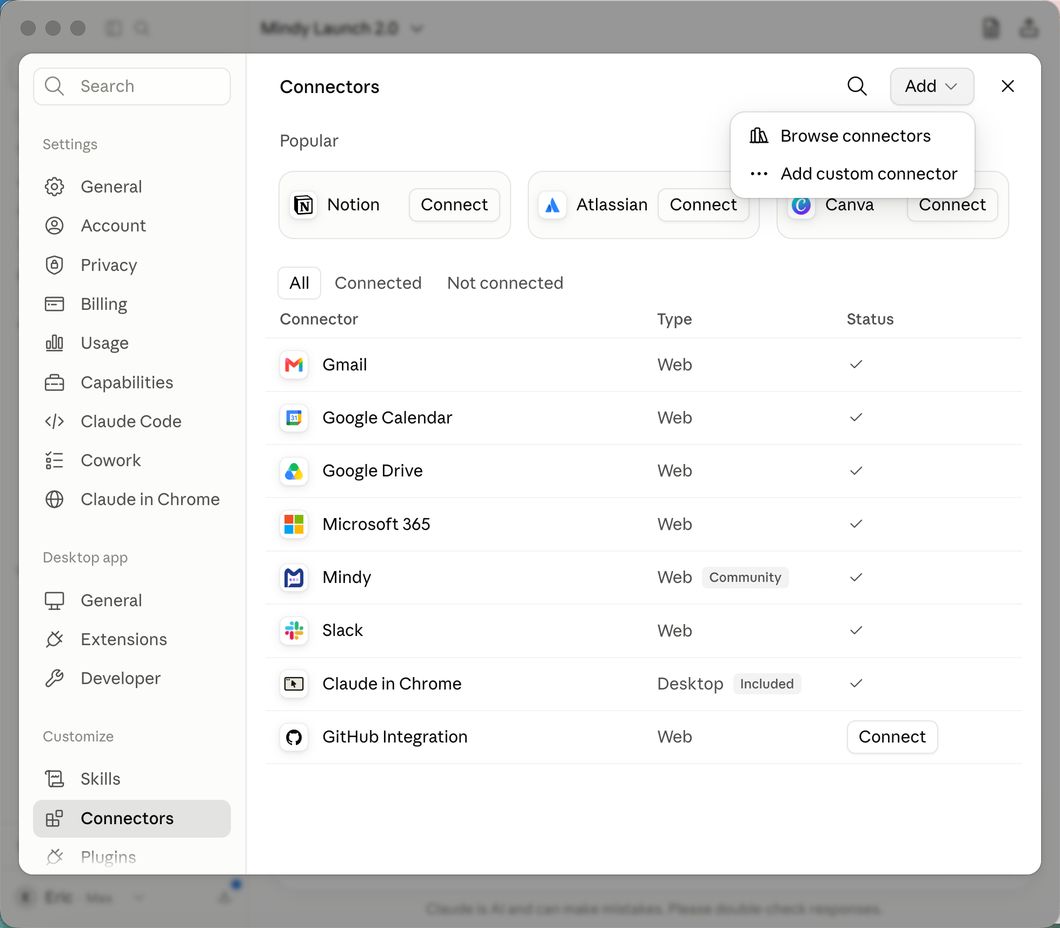
Click "Add", then "Browse connectors"
The Add button is at the top right of the Connectors page.
- 4
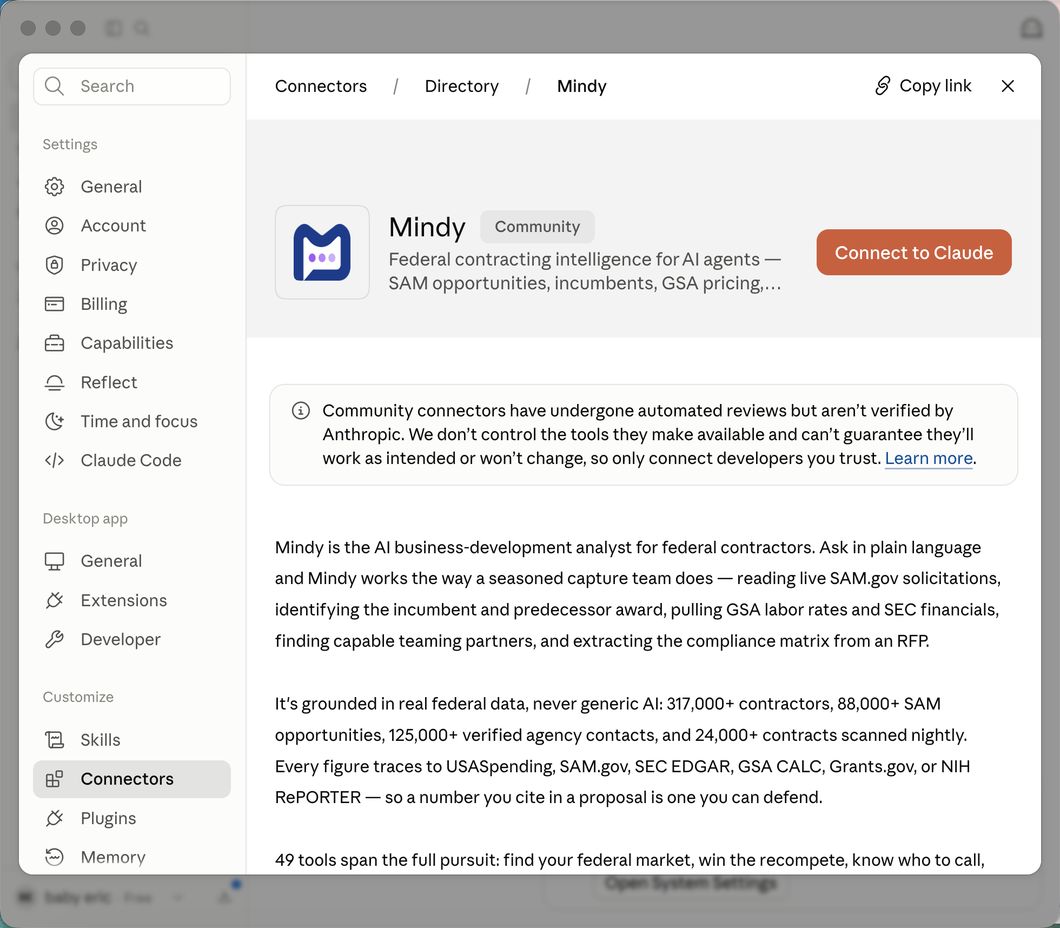
Find Mindy and click "Connect to Claude"
Search mindy, open the Mindy result, and click the orange Connect to Claude button.
- 5
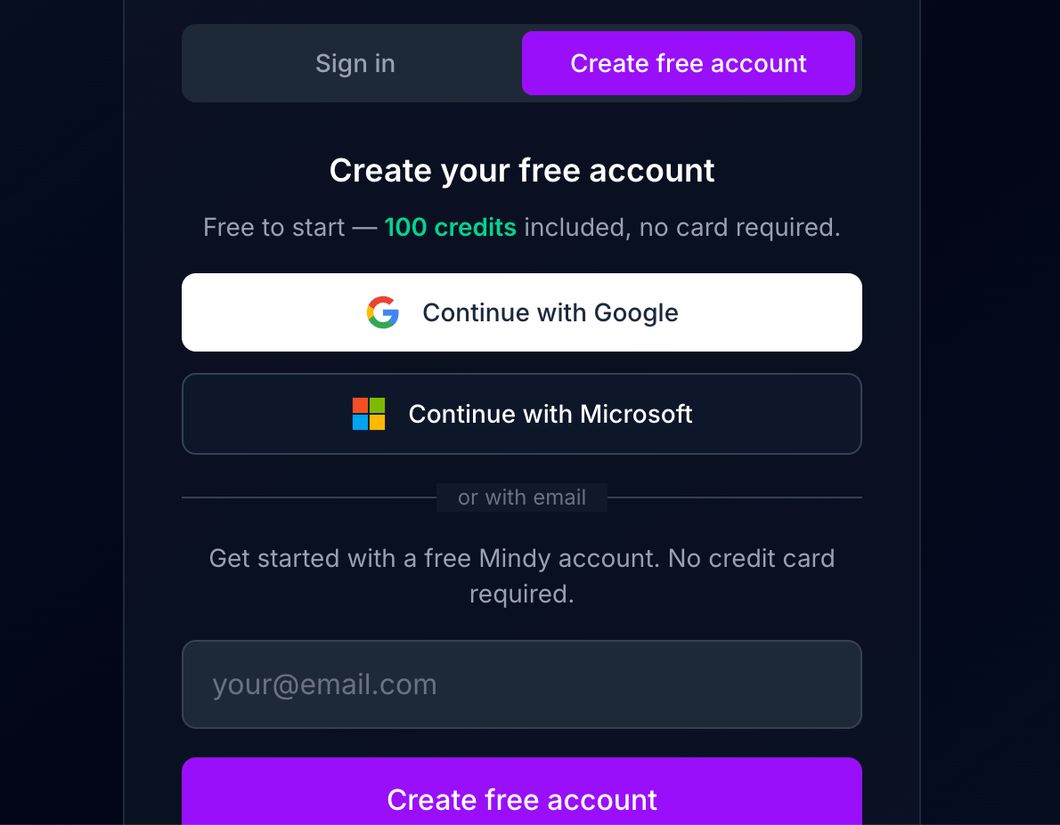
Create your free Mindy account
A Mindy window opens. Create a free account — 100 credits, no card — with Google, Microsoft, or email. Already have one? Just sign in.
- 6
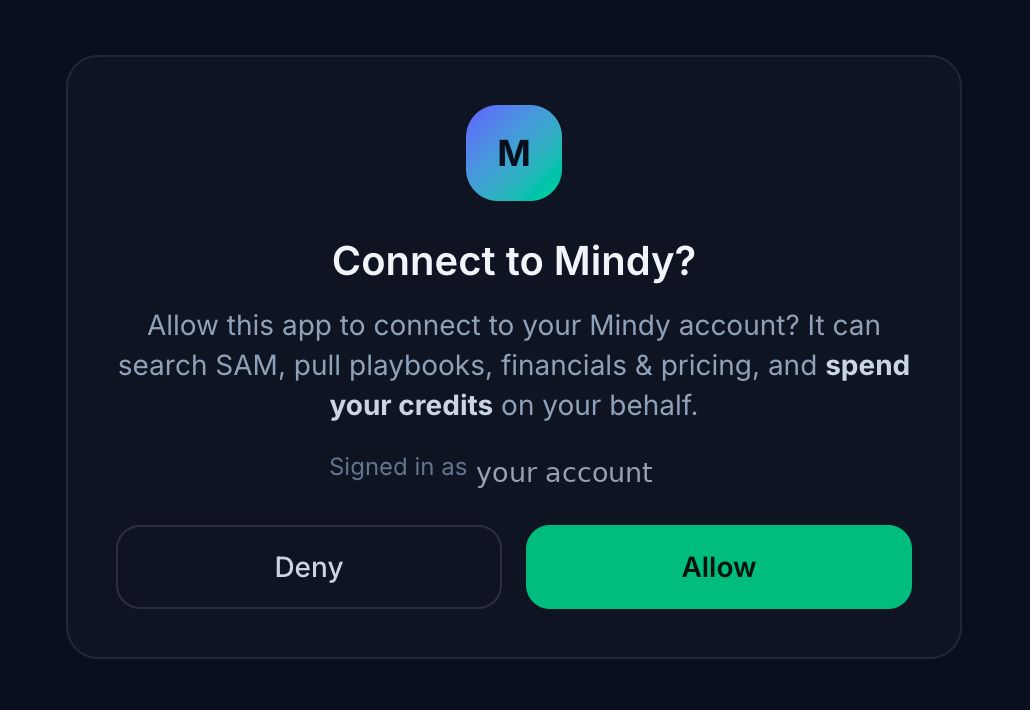
Allow the connection
Mindy asks to connect to your account. Click Allow.
- 7
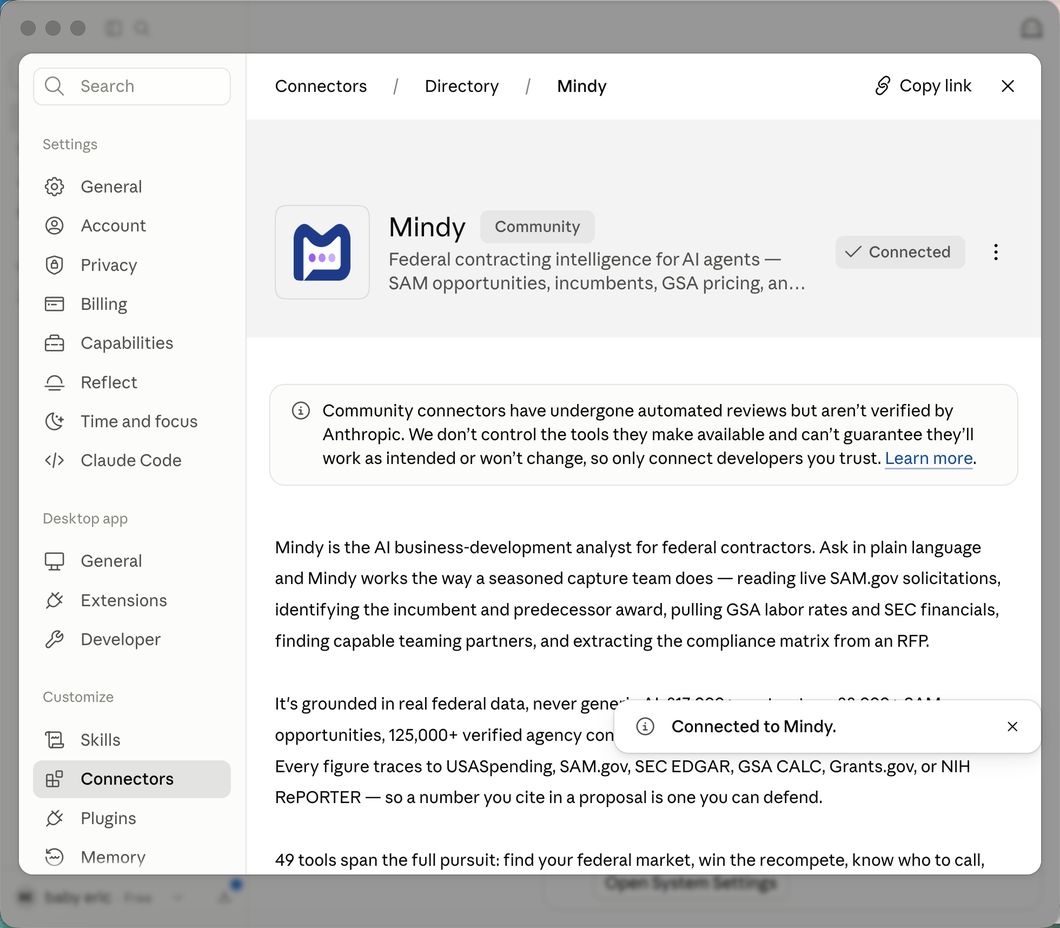
Connected
Back in Claude you will see Mindy marked Connected with a green check.
- 8
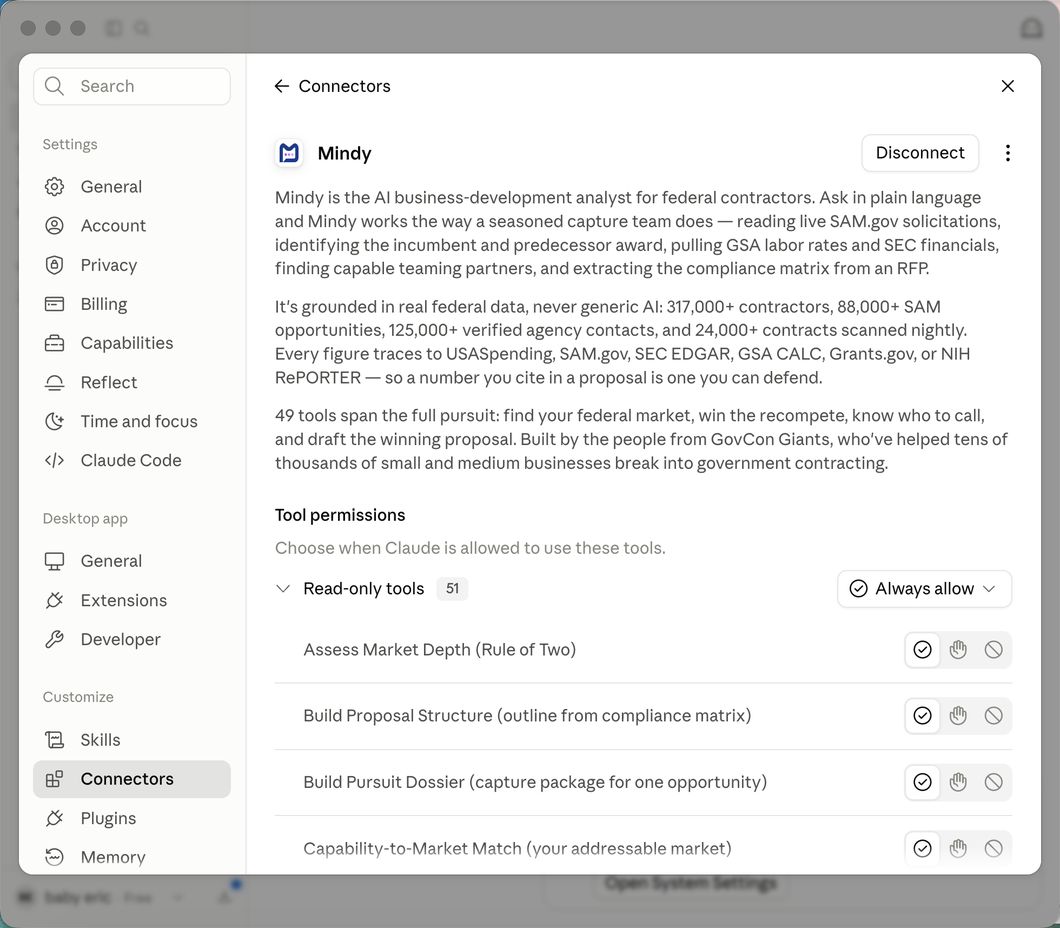
Set Mindy to "Always allow" (recommended)
By default Claude asks permission on every Mindy call. On the Mindy connector page, open the Read-only tools dropdown and choose Always allow so Mindy just works.
That’s it for Claude. Ask: “Use Mindy to find contracts expiring in my NAICS in the next 6 months.”
Don’t see Mindy in the directory? In the Add menu choose Add custom connector and paste https://mcp.getmindy.ai/mcp.
ChatGPT — connect Mindy
On the web (chatgpt.com). More steps than Claude — do them once, in order.
- 1
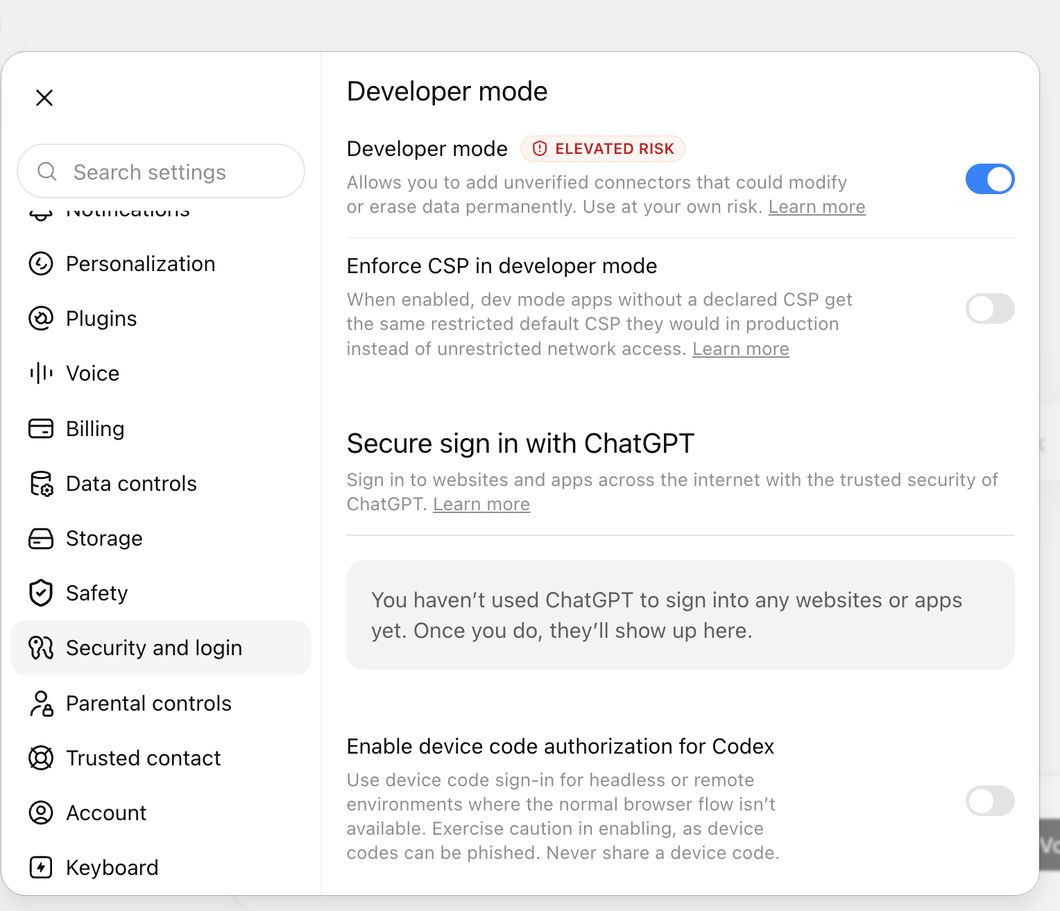
First, turn on Developer mode
You must do this before you can add Mindy. Settings → Security and login → Developer mode, and switch it on. You will see an "elevated risk" warning — that is ChatGPT’s standard notice for any custom tool. Mindy is safe; continue.
- 2
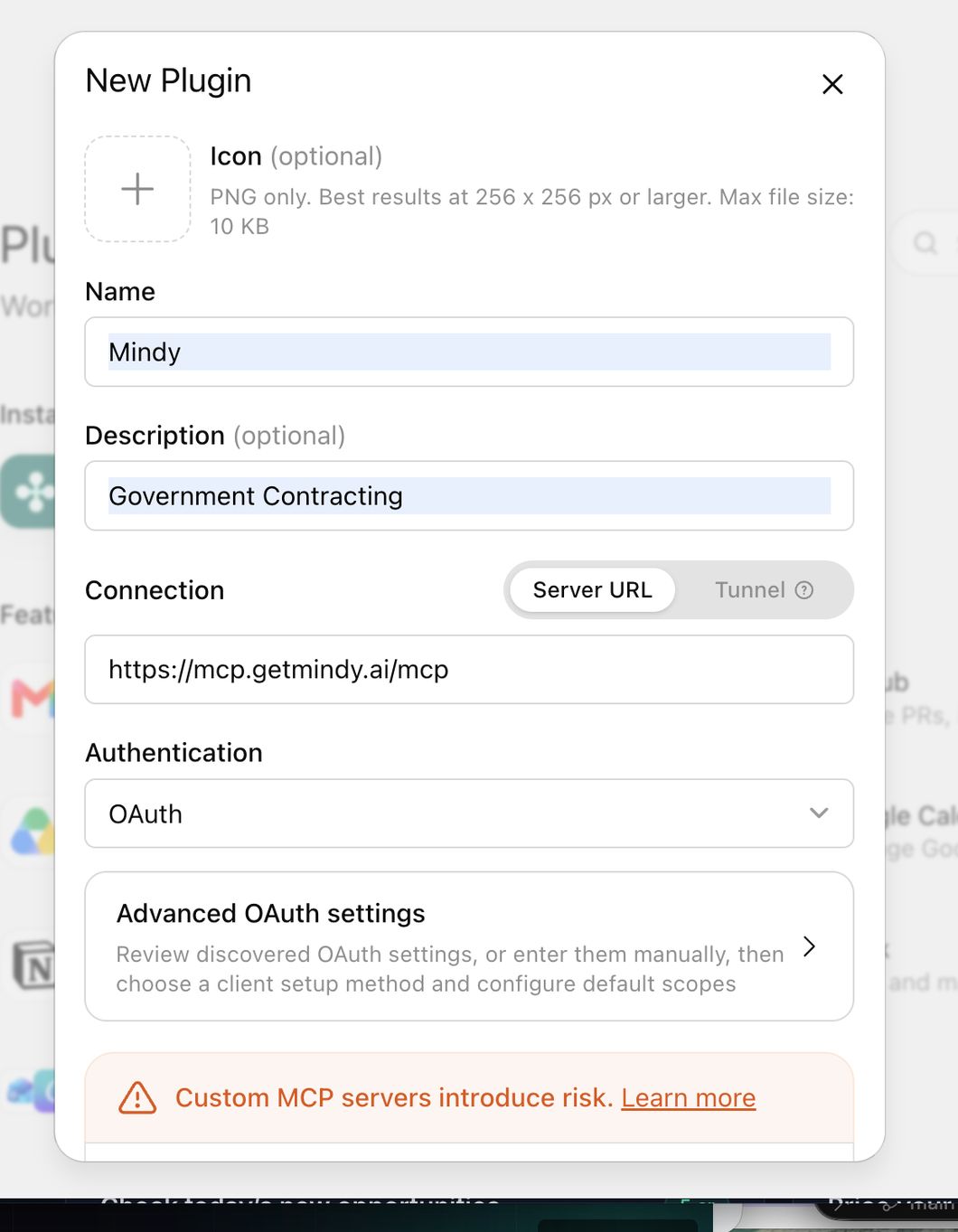
Go back to Plugins and add Mindy
With Developer mode on, the custom-plugin option now works. Open Plugins, click the + at the top right. Name it Mindy, set Connection → Server URL to the address below, set Authentication to OAuth, agree to continue, and click Create.
- 3
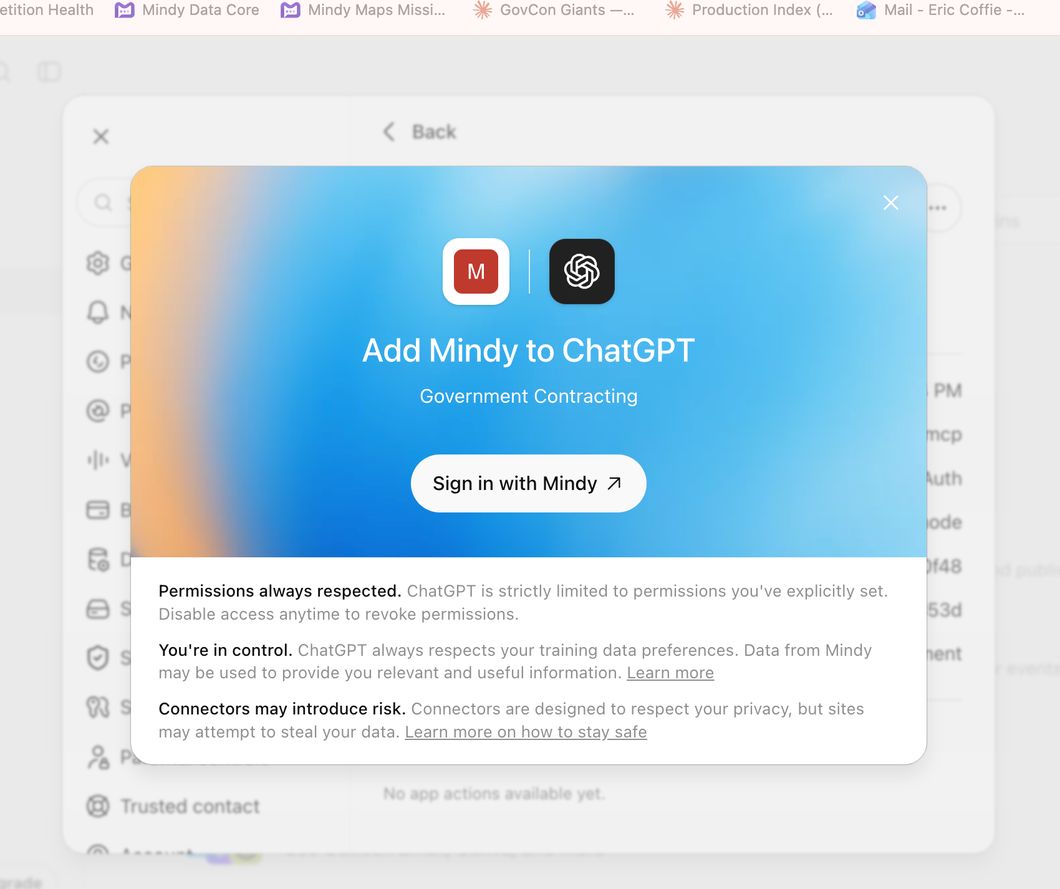
Click "Sign in with Mindy"
This is the step that connects the plugin to your account.
- 4
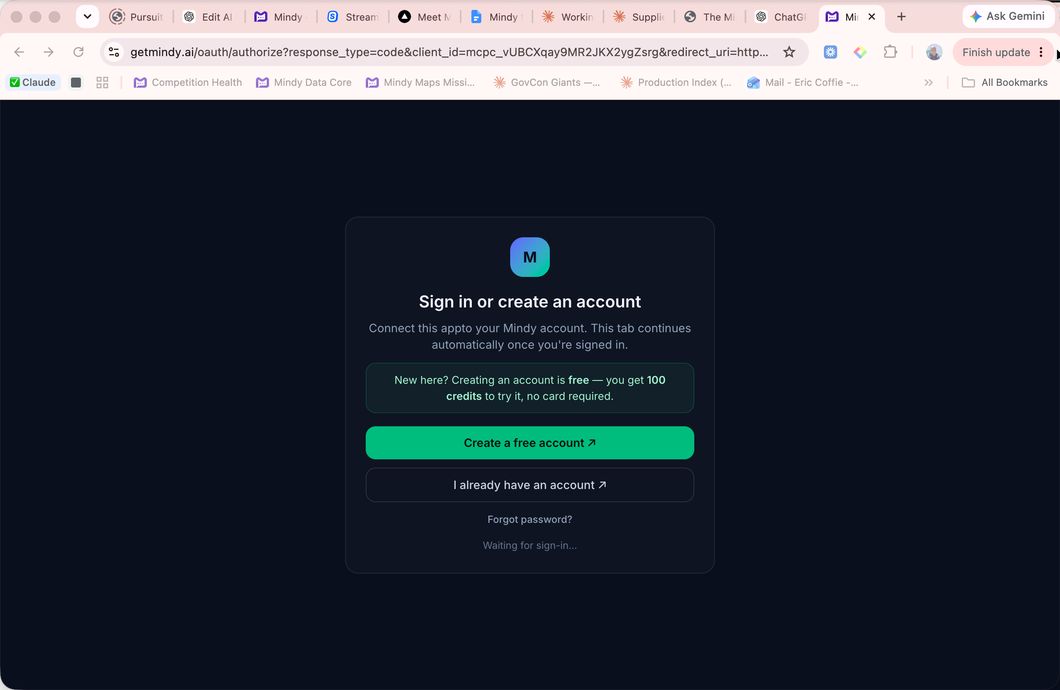
Create your free Mindy account (or sign in)
A Mindy window opens. Create a free account — 100 credits, no card — or sign in if you already have one. When you finish, it connects back to ChatGPT automatically.
- 5
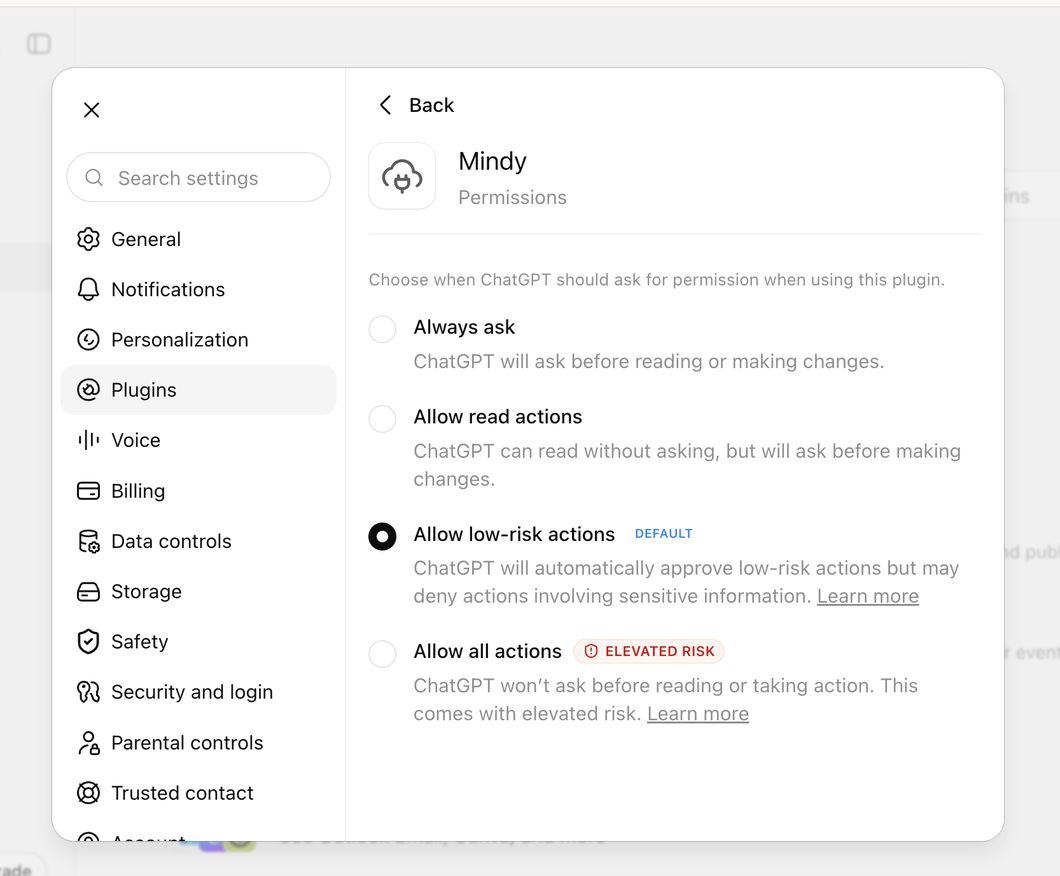
Allow permissions
Choose what Mindy is allowed to do. Pick Allow low-risk actions (the default) — Mindy can pull federal data without nagging you, and still asks before anything sensitive.
- 6
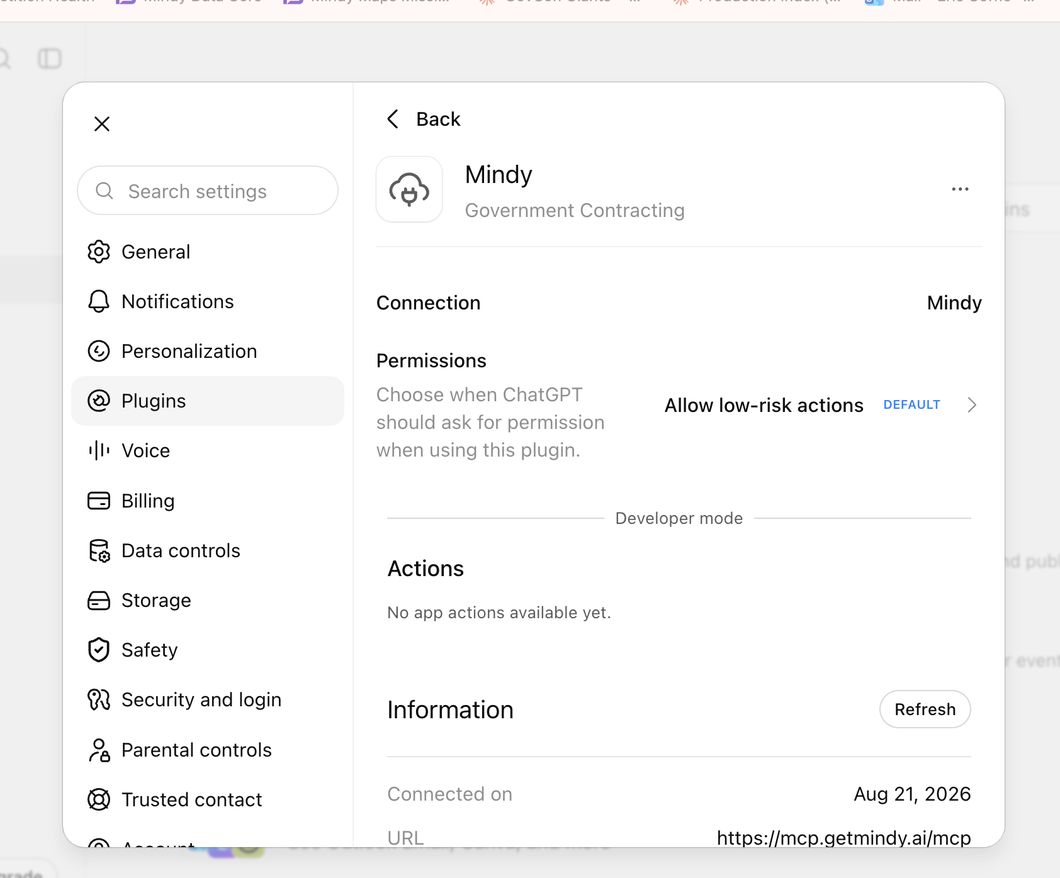
Done — Mindy is connected
You will see Mindy connected, with its permissions set. Turn it on in a chat and ask away — same as Claude.
That’s it for ChatGPT.
Ask Mindy your first question
You don’t need special wording, and you don’t have to say “Mindy.” Ask the way you’d ask a person. When the question needs real federal contracting data, your assistant reaches for Mindy on its own.
“What federal opportunities are worth pursuing right now for my business? Ask me what I do first.”
“Which federal agencies buy what I sell, which contractors are winning that work, and where is competition weakest?”
“What contracts in my market are coming up for recompete, and what early signals should I watch before the RFP drops?”
Paste any of these into Claude or ChatGPT. Add your NAICS codes in Mindy and these get specific to your market.
You also don’t need to write a biography first. Give Mindy your company name, what you sell, your capabilities, any certifications and where you work — that’s enough to start. Add past performance and the rest as you go.